SEA MAJOR SEVEN AUDIO TOOLS
TOOLS I BUILT FOR MY OWN SESSIONS


SM7 File Prep
$19
///STEM PREP · ANY DAW · 100% OFFLINE
Drop in a client’s messy folder of stems. Get back one mix-ready folder, sorted and renamed, in seconds.


SM7 Mix Queue
$39
///STUDIO PRO 8 · STUDIO ONE 6 & 7
Main, instrumental, acapella, TV mix: capture each version once, then bounce them all in one click.
01 ///SM7 FILE PREP
STEP 01
Drop in the folder
WAV, AIFF, FLAC, MP3, OGG or M4A, from any DAW. Artist, title and BPM fill in from the folder name.
STEP 02
Check the sort
Every stem gets a category and a clean name. Change anything with one click, or set your own keywords.
STEP 03
Hit Organize Stems
One tidy folder, ready to import. It copies, never moves, and one-click Undo puts it all back.

Sorts stems into category folders, with your own keywords
Keeps Tom 1 / Tom 2 and OH L / OH R apart
Cleans track numbers, v2 / final tags and take numbers
Copies, never moves. One-click Undo
Fills in artist, title and BPM from the folder name
Mac and Windows: one license works on both
///100% OFFLINE
YOUR CLIENTS’ MUSIC NEVER LEAVES YOUR COMPUTER.
No uploads, no cloud, no AI reading your files. Unreleased songs stay private, and your license is checked right on your computer, so both tools work with the Wi-Fi off.
02 ///SM7 MIX QUEUE
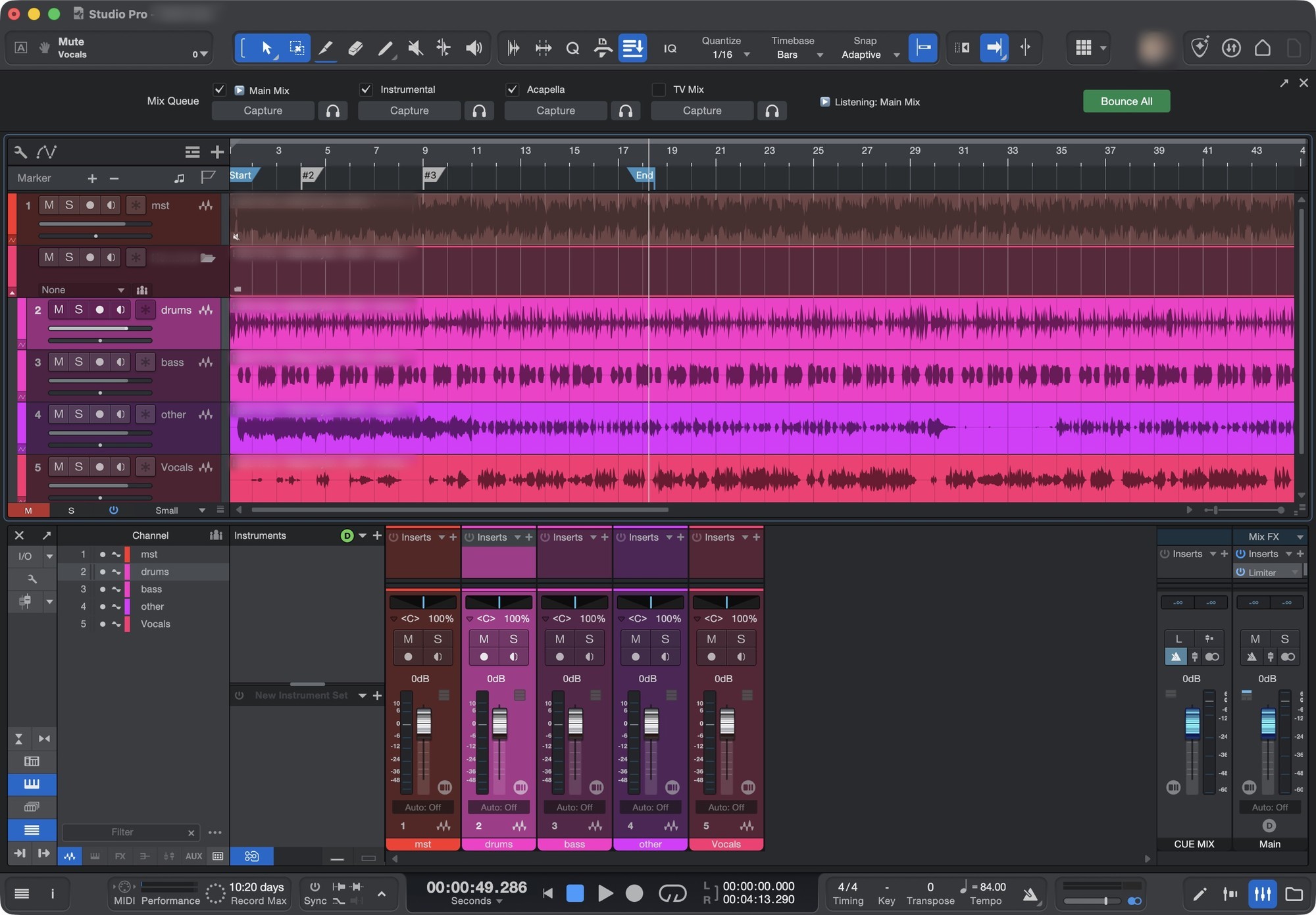
STEP 01
Set your mix. Capture.
Your main mix, saved as a version straight from the mixer.
STEP 02
Mute the vox. Capture.
Instrumental, acapella, TV mix, clean: up to 12 versions per song.
STEP 03
Hit Bounce All
Every version exports back to back, hands-free, using your own Export Mixdown settings.

Capture versions from your mixer. No Scenes
Listen to any version, then jump back to your mix
Files named for you, v2 / v3 on re-bounces
Every song remembers its own queue
Keyboard shortcuts for Capture, Listen, Bounce All
Mac and Windows: one license works on both
///STUDIO PRO 8 · STUDIO ONE 6 & 7
///MACOS 12+ OR WINDOWS 10/11 (64-BIT)
///FAQ
GOOD TO KNOW
Is there a free trial?
Yes. Both tools include a free 14-day trial of the full version. Your trial starts the first time you open it.
Mac or Windows?
Both. One license works on your Mac and your PC. File Prep needs an Apple Silicon Mac with macOS 13 or later, or 64-bit Windows 10/11.
Do I need to be online?
No. Your license key is checked on your computer, so the tools work with no internet at all.
Which DAWs?
File Prep works with stems from any DAW. Mix Queue runs inside Fender Studio Pro 8 and Studio One 6 and 7.
How do I get updates?
Download the latest version from your Gumroad library anytime and run the installer. Your license and settings stay put.
My computer warned me when I opened it.
The installers aren’t signed by Apple or Microsoft yet. On Windows click More info, then Run anyway. On Mac, follow the two steps in the installer window.
TRY THEM FREE FOR 14 DAYS.
Questions? Email tools@seamajorseven.com